Orders
All the service's orders, in one place.
Whether it is placed by a customer from their table, taken by a server or entered at the till, an order goes through the same steps up to payment — and keeps a record of each one.
- QR code, till, server
- Dine-in or takeaway
- Full history
The journey
Clear steps, from order to payment.
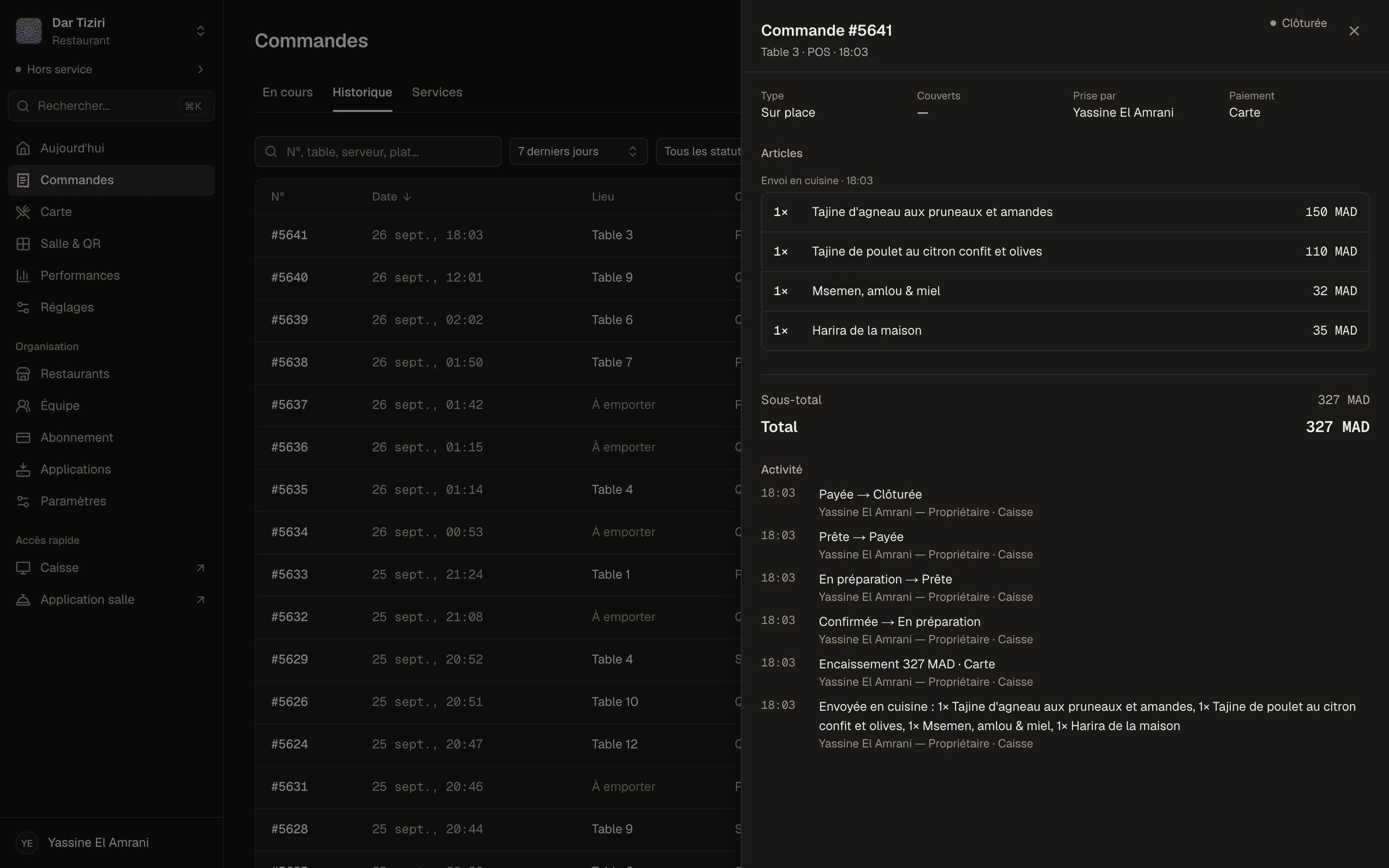
An order arrives, the team accepts it and sends it to the kitchen, marks it ready, serves it, takes payment. During service, Menly flags the ones that have been waiting too long.
- 1To accept
- 2In the kitchen
- 3Ready
- 4Served
- 5Paid
Late after 25 min
During service
Send, correct, move — without re-entering.
A table orders in several goes: each send to the kitchen forms a round. Lines not yet sent can be edited freely; a line already sent can be cancelled or corrected, and the correction stays on record.
- Sent to the kitchen in rounds
- Line corrections and cancellations, with history
- Switch from dine-in to takeaway
- Transfer of the order to another table
- Discounts as a percentage or an amount, capped per position
Where orders come from
Three channels, one flow.
QR code
The customer orders from their table or as takeaway, and follows their order on their phone.
Server
The server takes the order on Menly Floor and sends it to the kitchen.
Till
The cashier enters a sale at the counter or for a table.
Finding an order
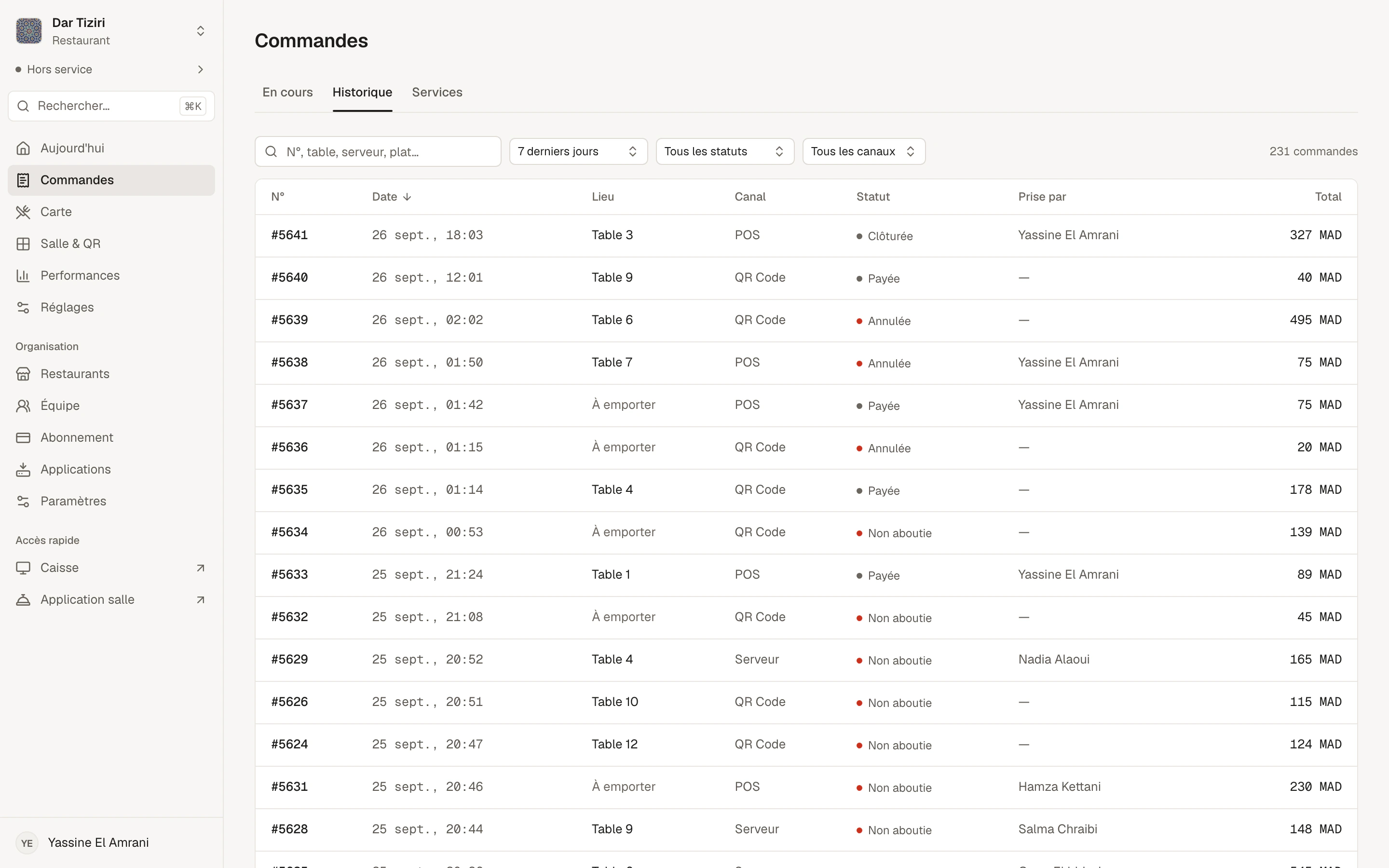
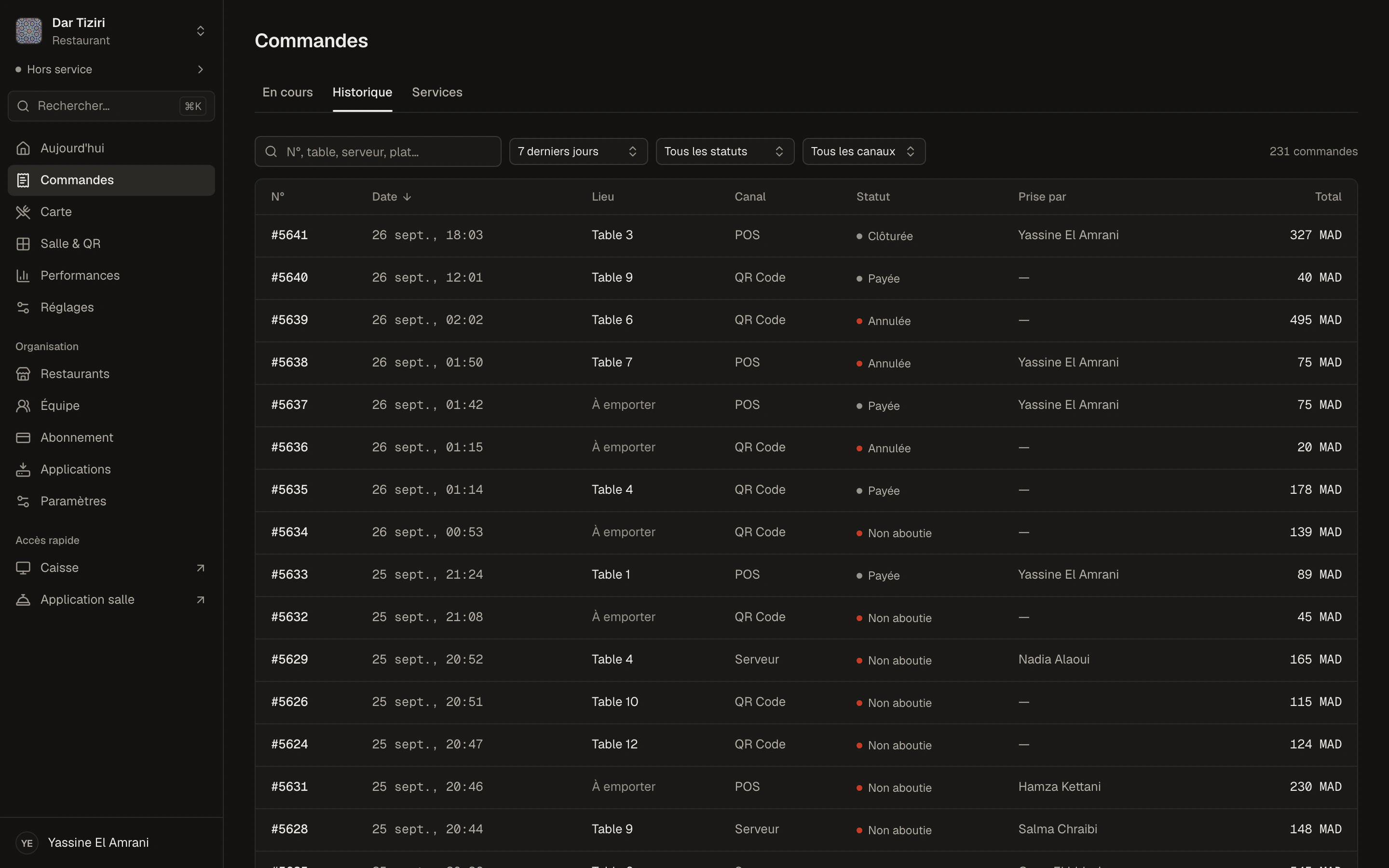
The history, with the right filters.
Filters
- Period: today, 7 days, 30 days, all
- Status
- Channel: QR code, till, server
- Search: number, table, server, dish
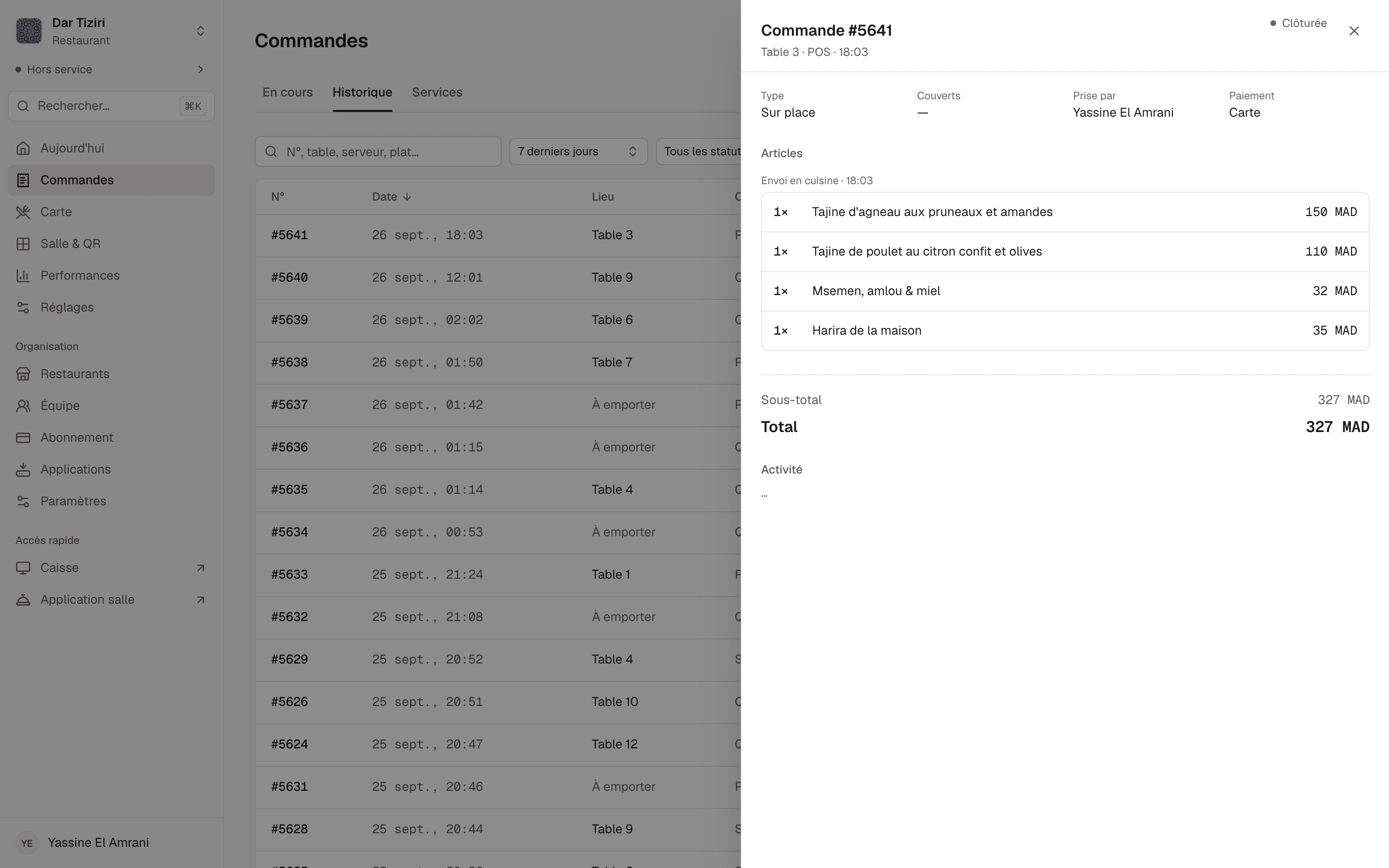
For each order
- Number, date and time
- Table or takeaway
- Items, options and amount
- Member who took it
- Every step timestamped
Services
Each service has its summary.
You start the service when you open and close it when you close. Menly keeps each service with its duration, its orders and its revenue. Orders still unpaid at closing are marked not completed.
- Service history
- Orders and revenue per service
- No QR orders outside a service
Order questions
Where do orders placed via QR code arrive?
In the management dashboard, in the Menly till and in the Menly Floor app. The till and the Floor app receive them live; the Orders page of the management dashboard updates automatically.
Can my customers pay online?
Not today. The customer orders from their phone and pays at the restaurant; payment is recorded in Menly Register.
Can I stop QR orders on a busy night?
Yes. Online ordering is set at the restaurant level and for each menu, and it is only possible during an open service.
Is there a monthly order limit?
No. Orders are unlimited from the Standard plan, and QR code scans are unlimited on every plan.
Does Menly handle delivery?
No. Menly handles dine-in and takeaway orders.