Skip to content

For restaurants, cafés and snack bars in Morocco

Software for your restaurant, from menu to till.

Create your digital menu, share it with a QR code and manage orders, floor, till, team and performance in one place — from the phone, tablet or computer you already have.

  • One QR code per table
  • No app for customers
  • FR · EN · العربية
Menly — Orders
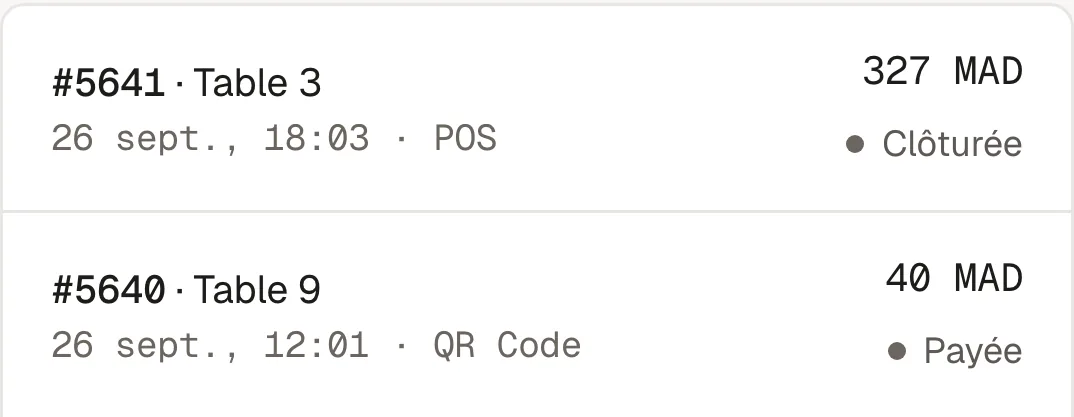
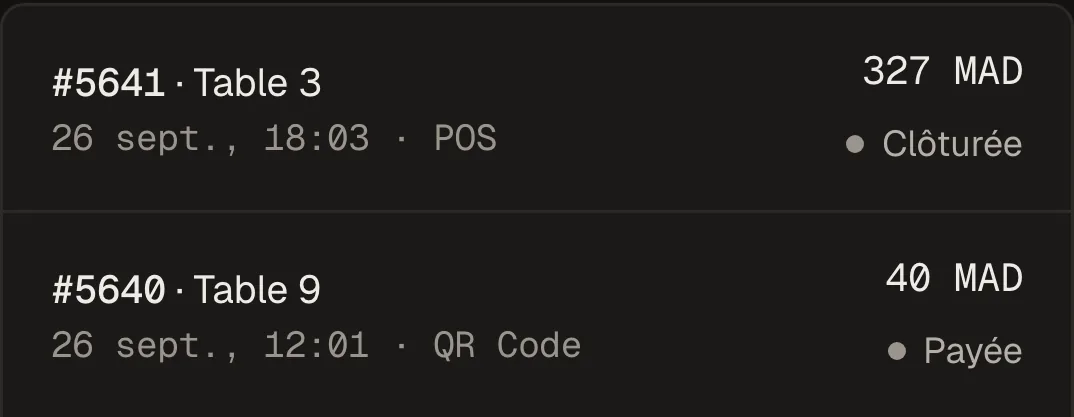
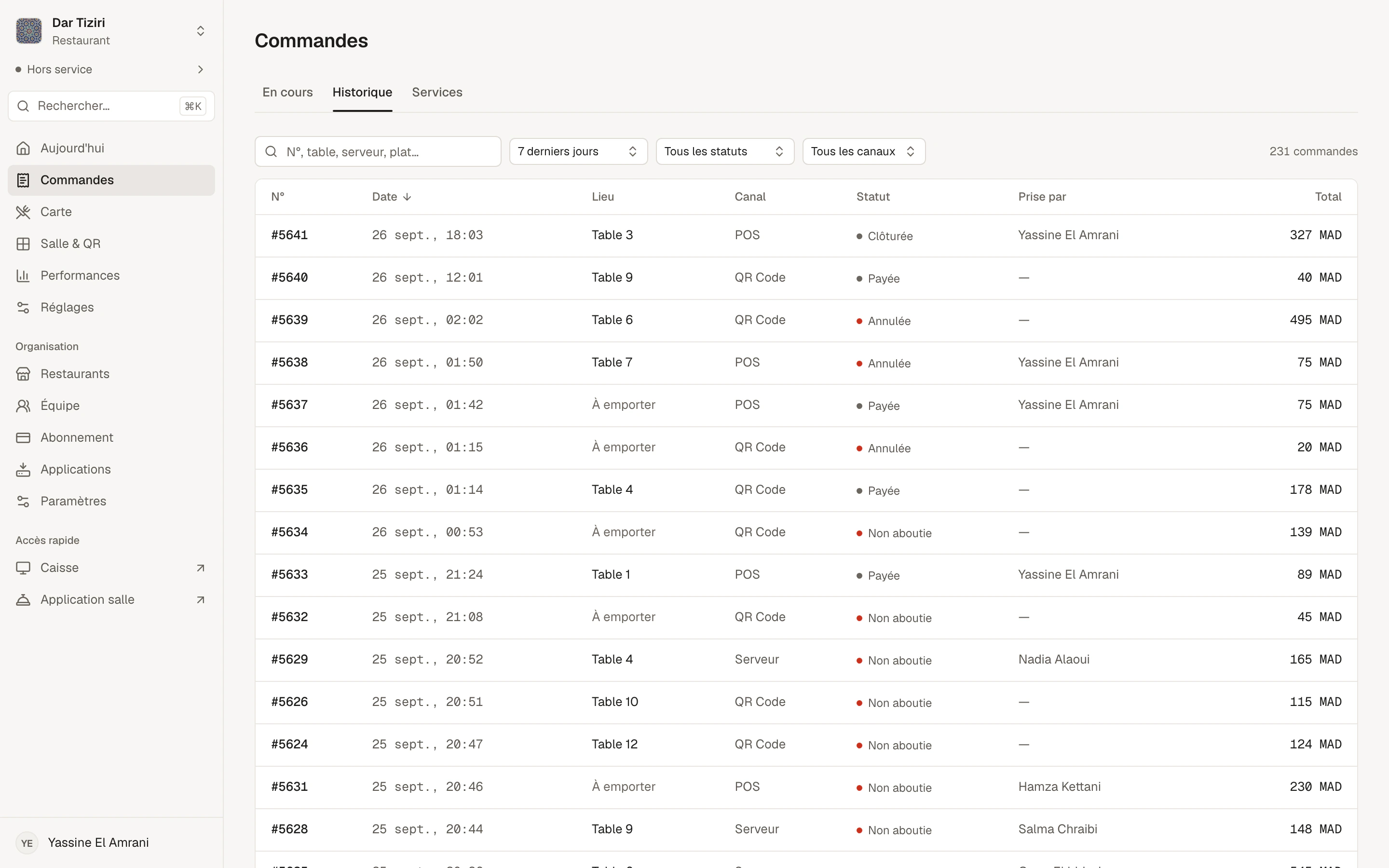
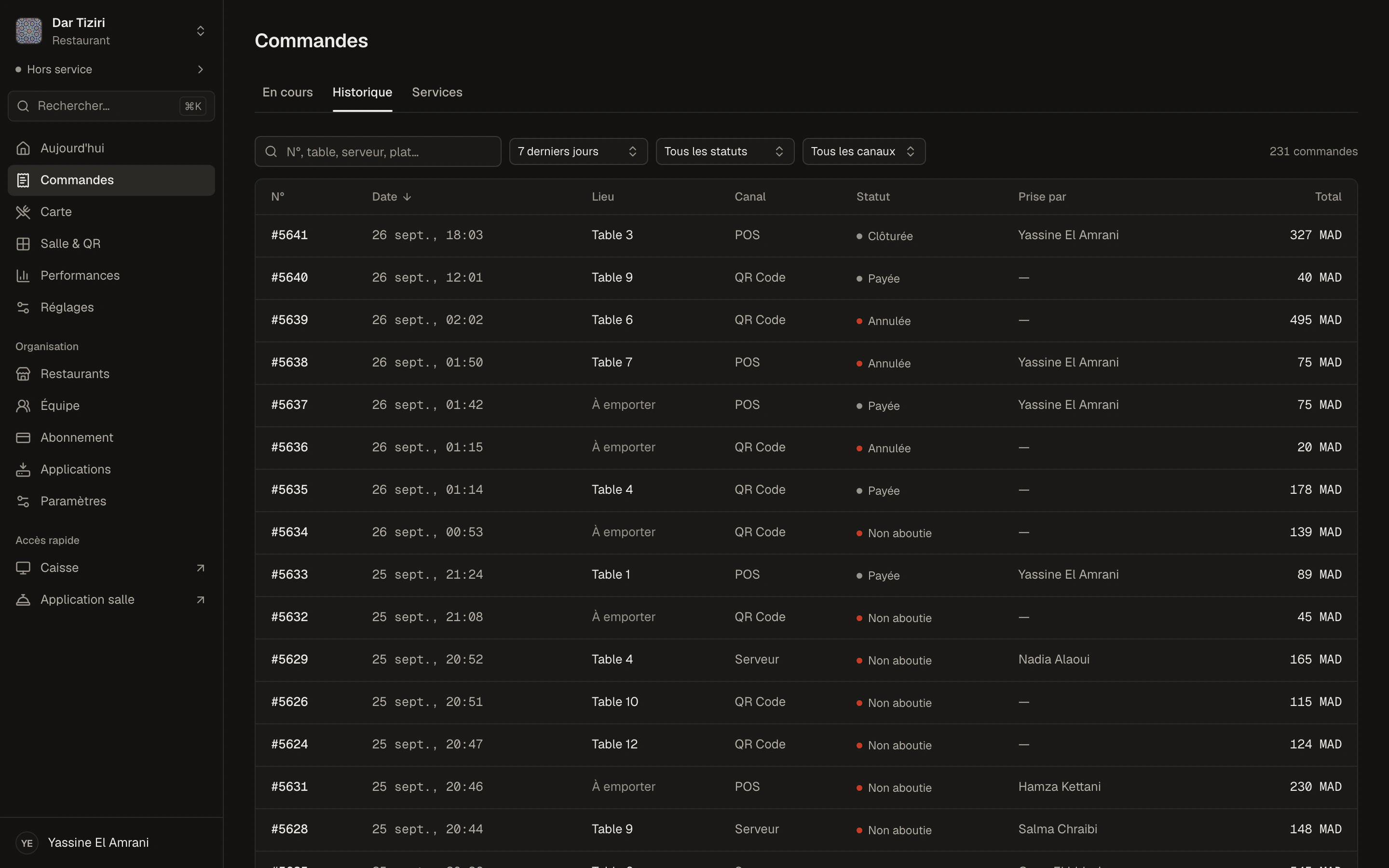
The order history: number, date, table or takeaway, channel, status, server and amount, with search and filters.
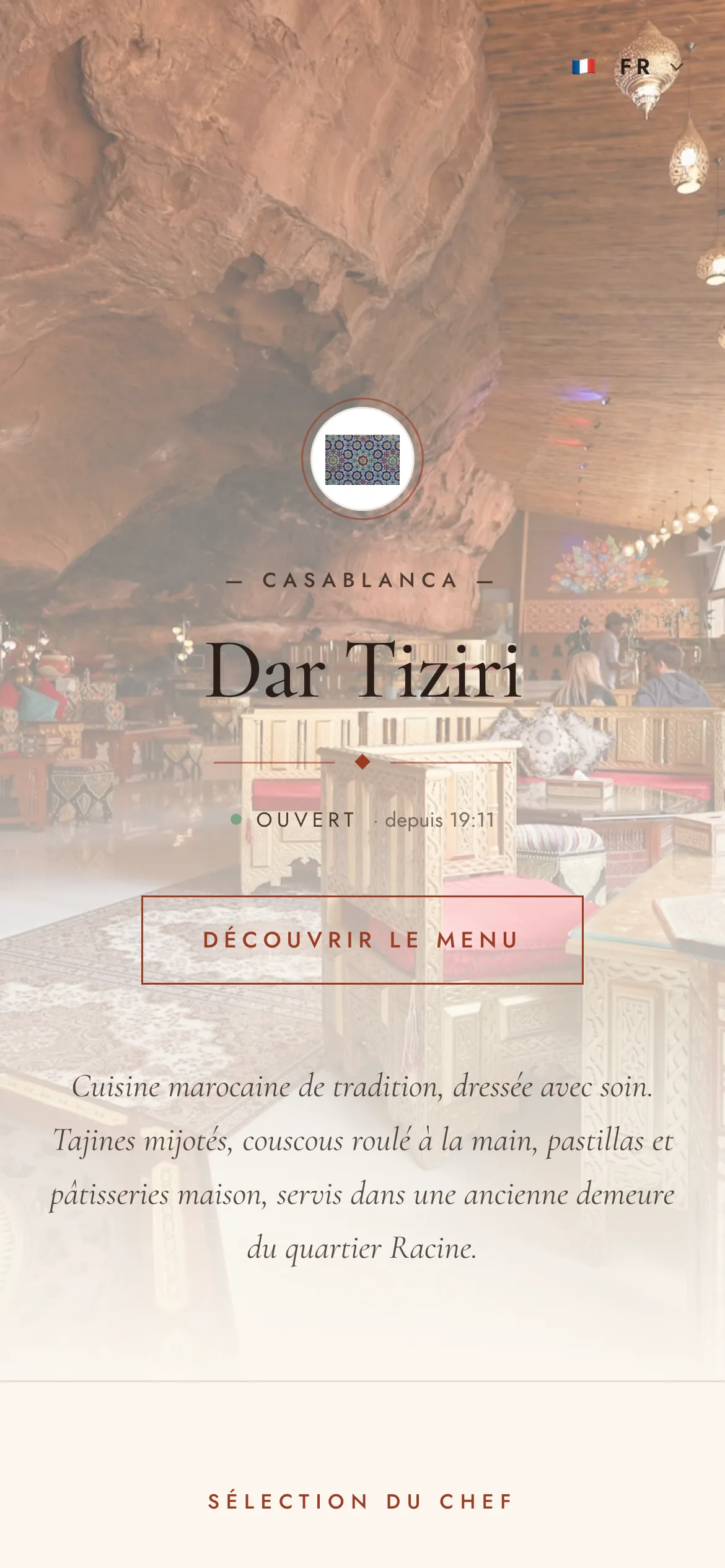
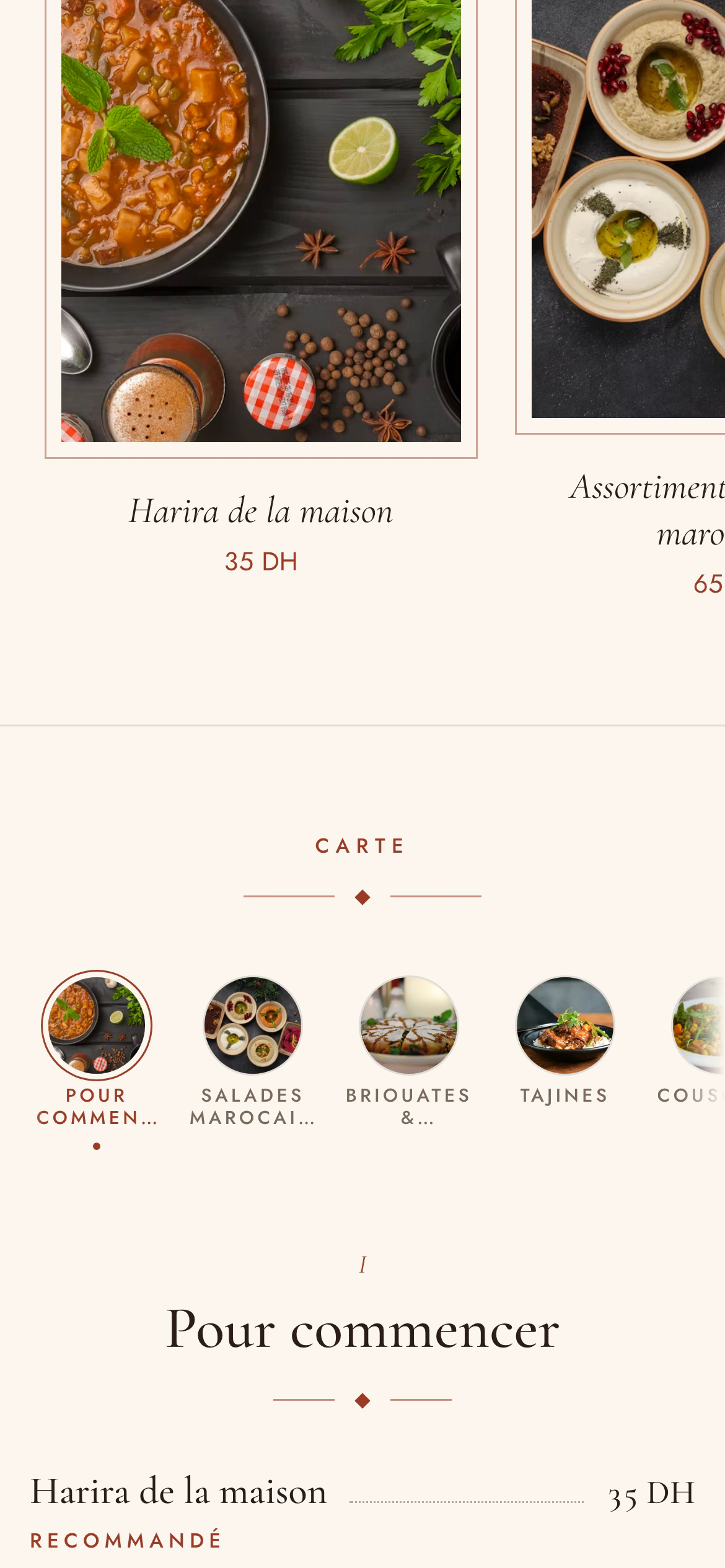
A demo restaurant's digital menu on a phone.

The platform

Your whole restaurant in Menly.

The menu, the service, the till and the team share the same data. A dish marked sold out can no longer be ordered; an order taken on the floor shows up at the till; every sale feeds your performance.

A menu you can edit in seconds

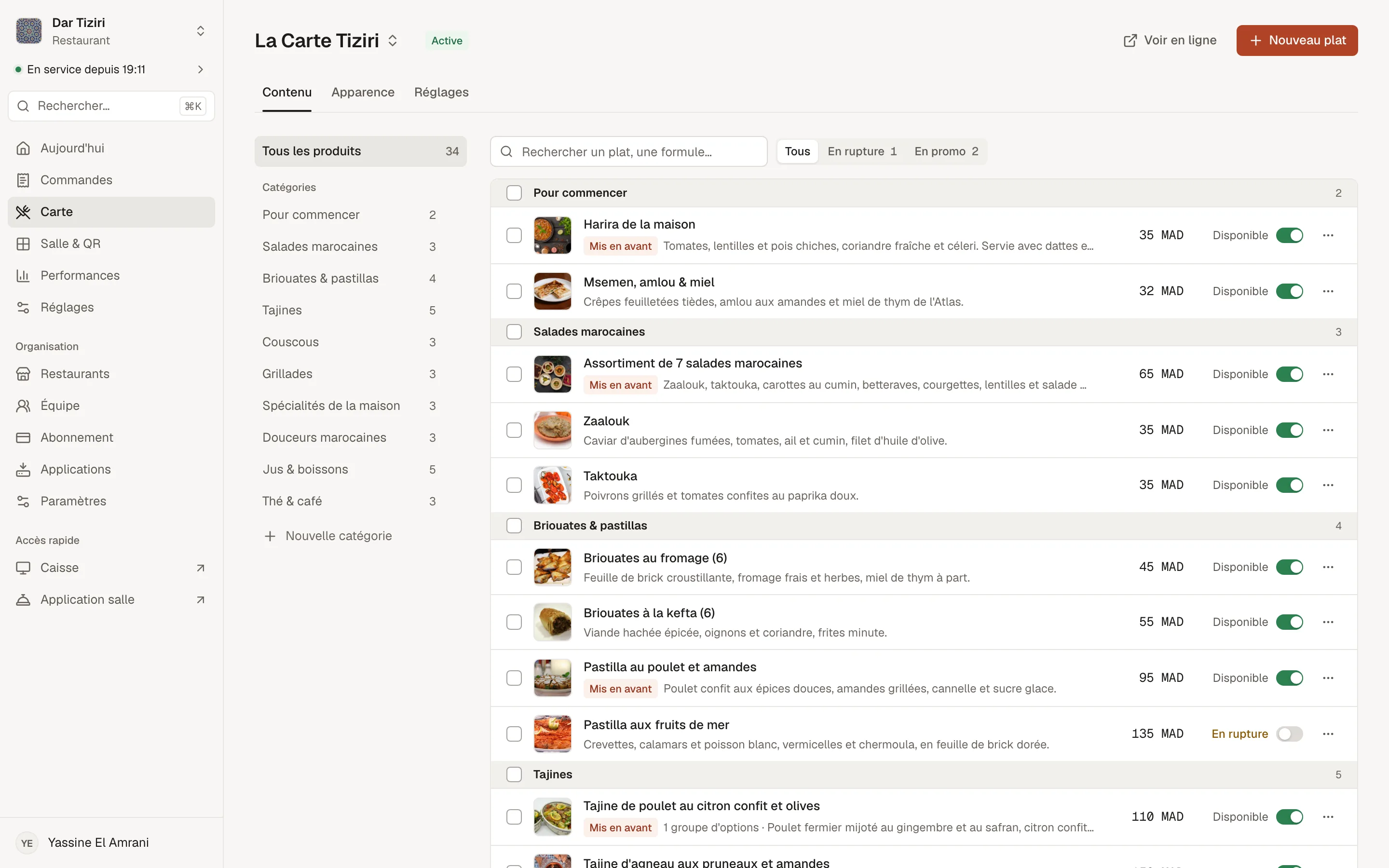
Menus, categories, dishes, set menus and options: build your menu from the management dashboard, with photos, prices and availability.

  • Several menus per restaurant, only one active at a time
  • Promotional price shown next to the regular price, struck through
  • Mark a dish sold out or hide it in one tap
  • Options, add-ons and dish suggestions
Learn more
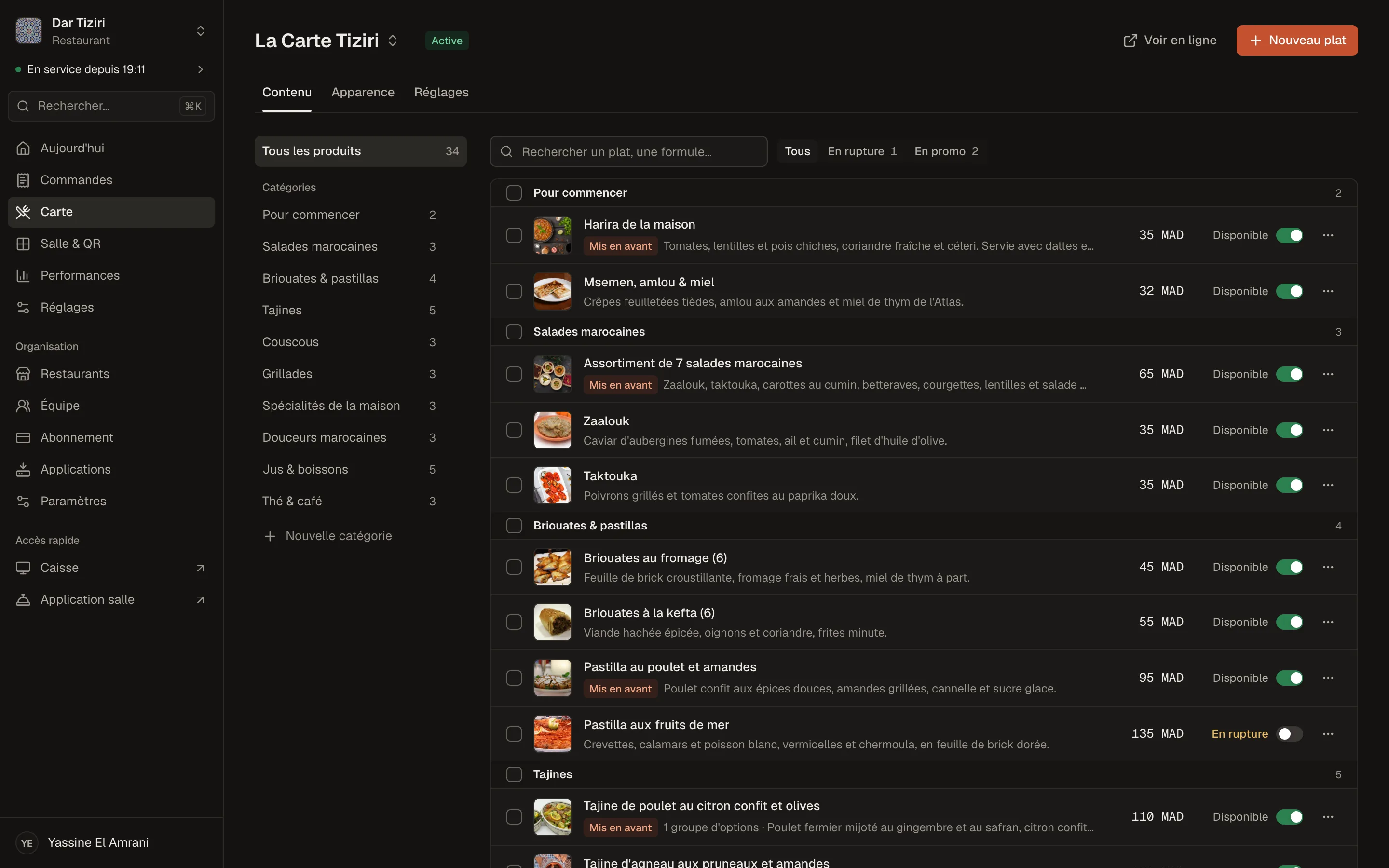
The Menly menu editor: categories, dishes with photos, prices and availability for a demo restaurant.

What you manage in Menly

The menu

  • Menus
  • Categories
  • Dishes
  • Set menus
  • Options and add-ons
  • Prices and promotions
  • Availability
  • Suggestions

The service

  • Orders
  • Services
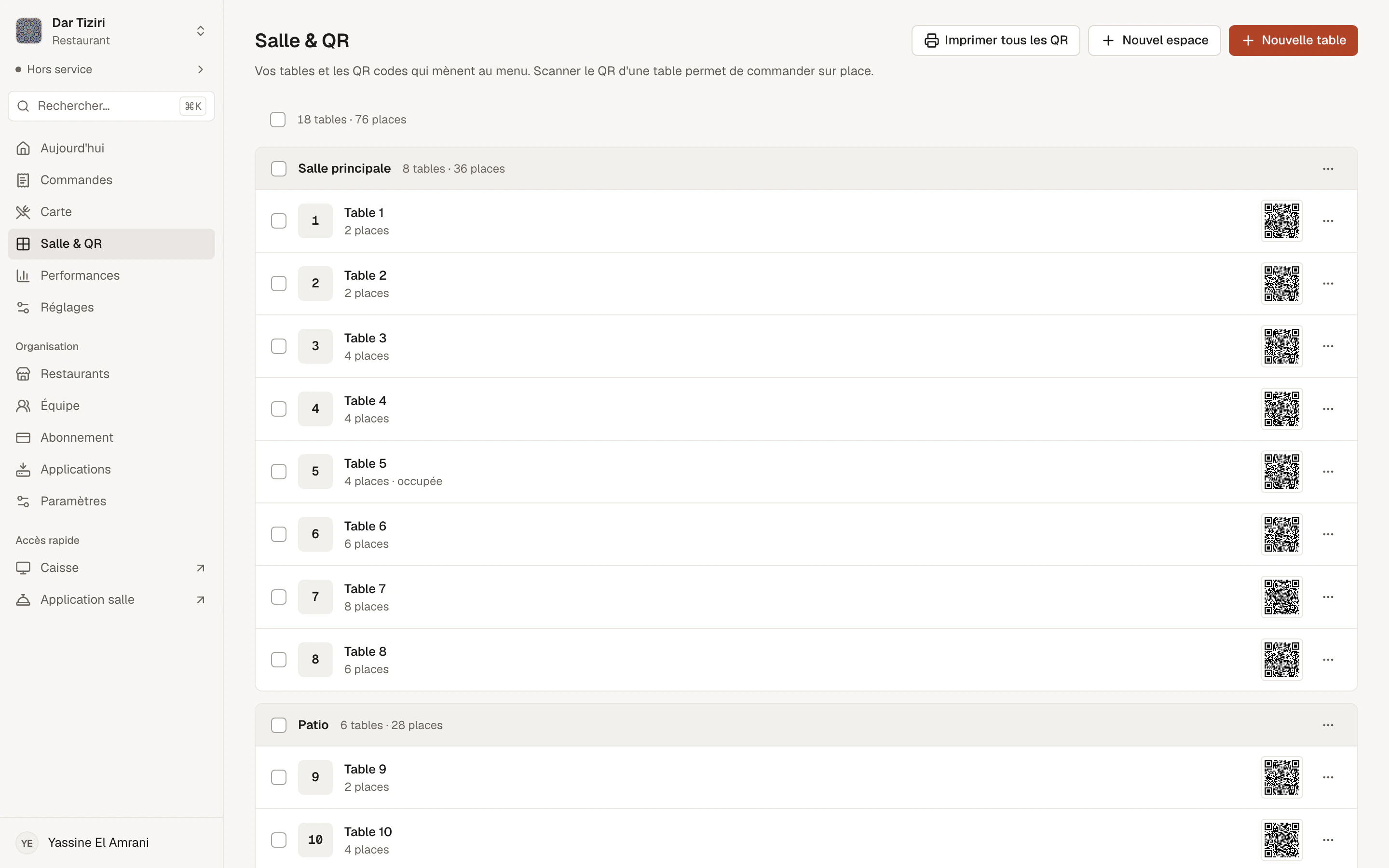
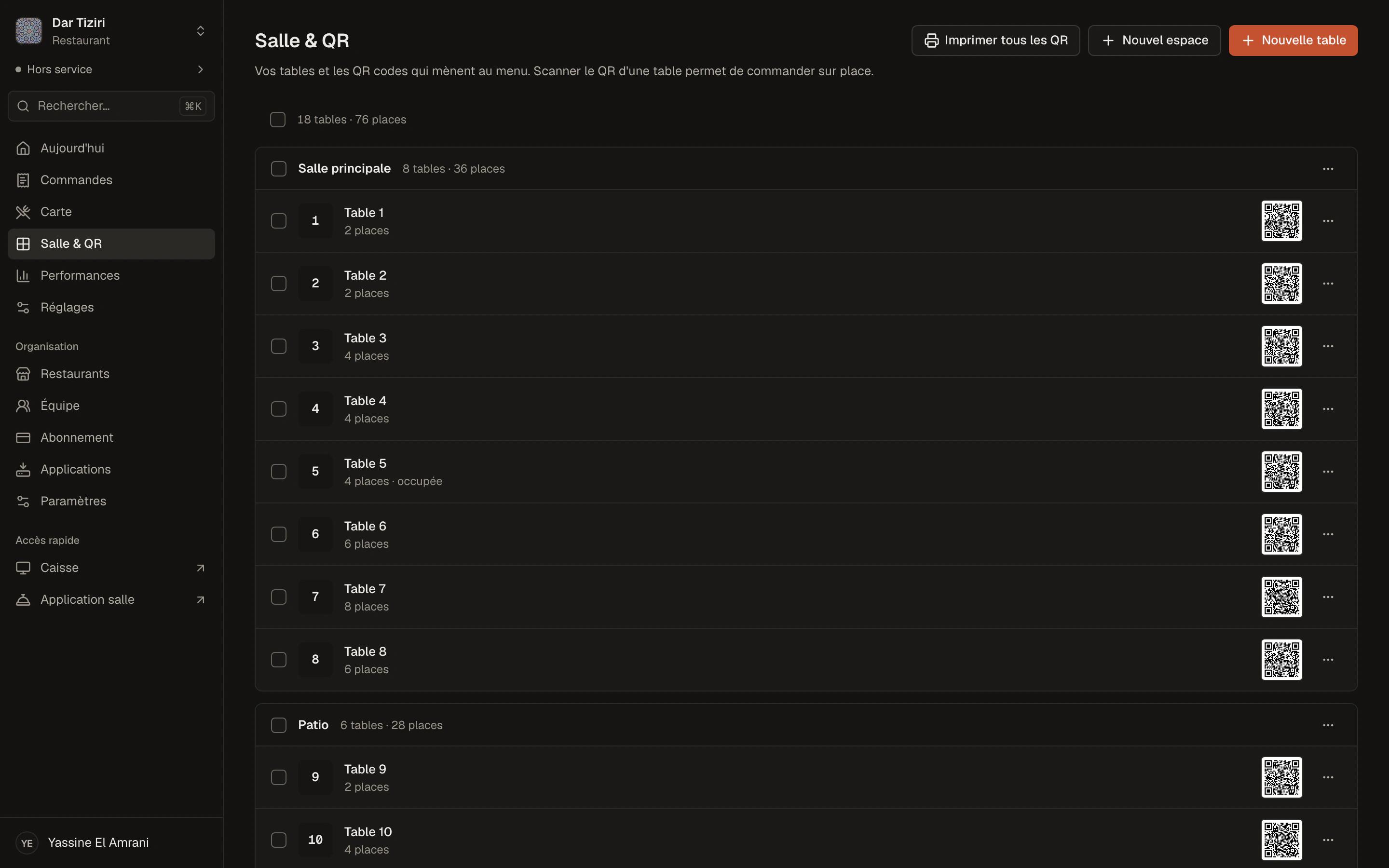
  • Tables and spaces
  • QR codes
  • Customer requests
  • Till and payments

The organization

  • Restaurants
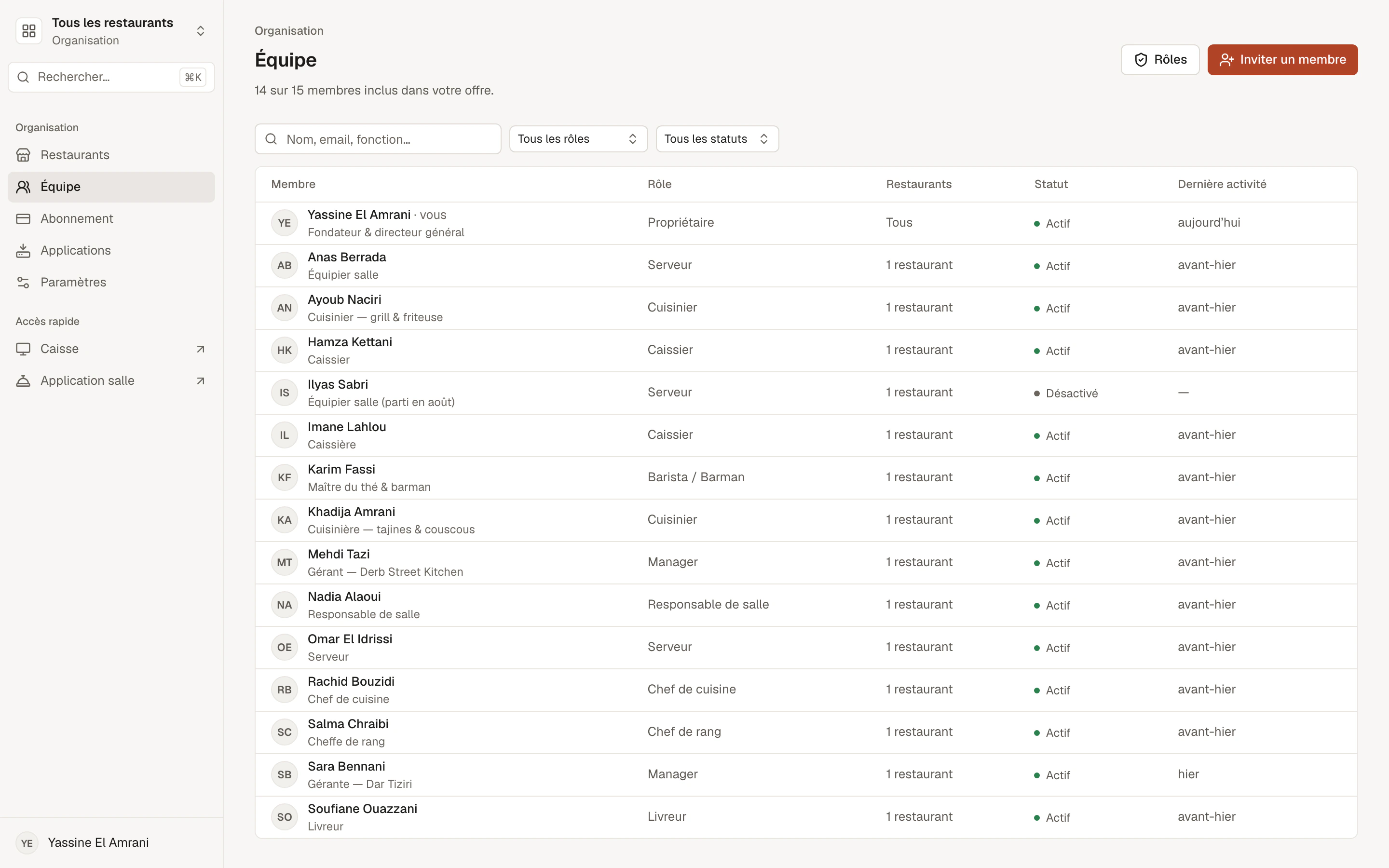
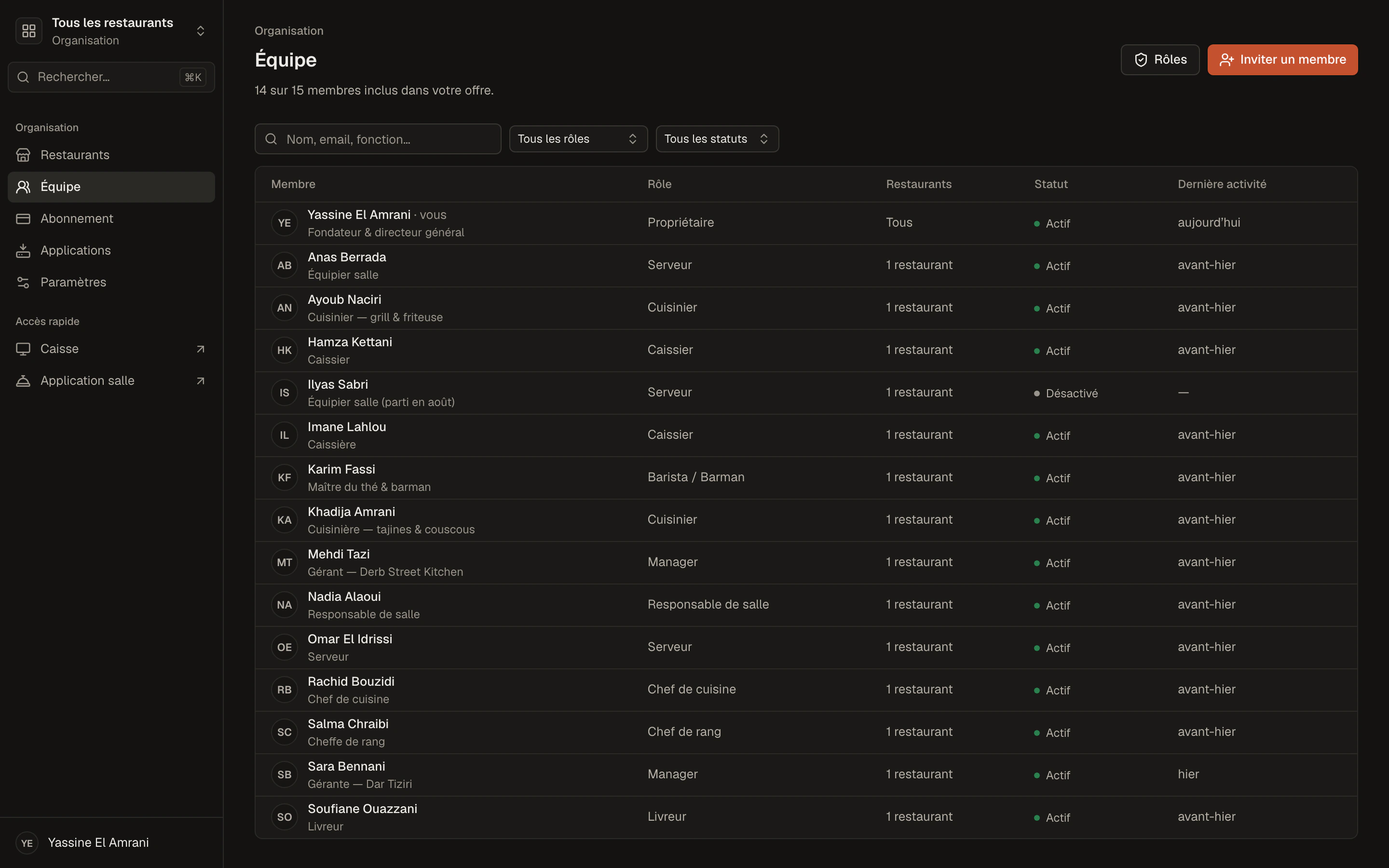
  • Members
  • Positions and roles
  • Permissions
  • Languages
  • Performance

Digital menu

A digital menu that keeps up with your kitchen.

Your customers scan, your menu opens. No PDF to redo, no app to download: what you change in Menly is live the next time the menu loads.

  • Categories and dishesPhotos, descriptions, prices, in the order you choose.
  • Set menusFixed dishes or a choice per category, at a fixed price.
  • PromotionsA promotional price, with the old price struck through next to it.
  • AvailabilitySold out tonight? One tap, and the dish can no longer be ordered.
  • ThemesFive themes, your colors, your navigation.
  • QR codeThe same QR code, even after every change to the menu.
The categories and dishes of the customer menu, with photos and prices.
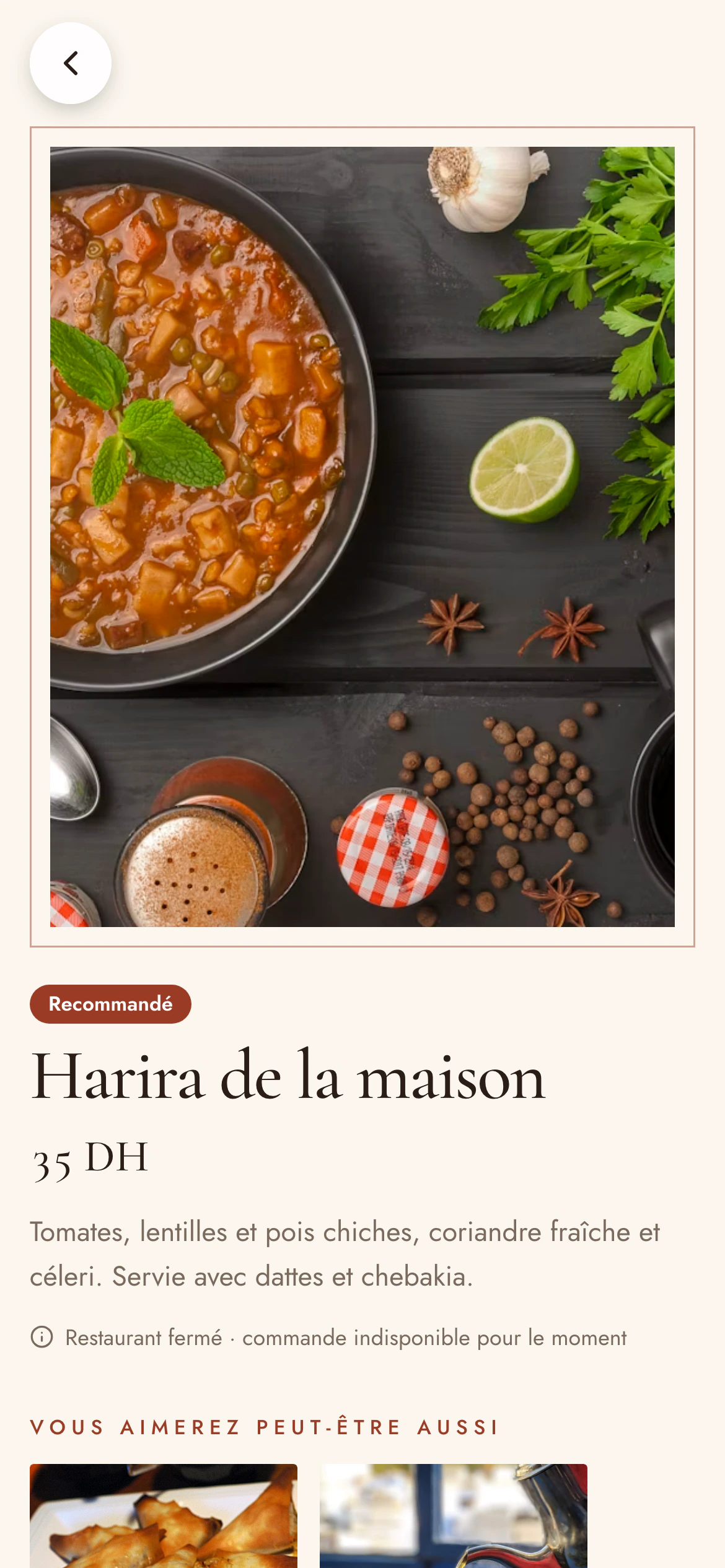
A dish's page in the customer menu, with its description, its price and the add button.

Customer experience

From QR code to order in a few seconds.

The menu opens in the phone's browser: nothing to install, nothing to sign up for.

  1. 01

    Scan

    The customer scans their table's QR code.

  2. 02

    Menu

    The menu opens in the browser, in their language.

  3. 03

    Categories

    They browse the categories and search for a dish.

  4. 04

    Choice

    They add dishes, set menus and options to the cart.

  5. 05

    Order

    They send the order for their table.

  6. 06

    At the restaurant

    The order reaches the team, on the floor and at the till.

No app to download and no account to create for customers.

One QR code per table

Every table has its QR code. Every order knows where it comes from.

A table's QR code leads to your restaurant's menu with the table's identifier. The customer has nothing to type: their order arrives with the right table number.

  • One QR code per table, created along with the table
  • “Takeaway” QR codes for the counter or the window
  • PNG download and a print-ready A4 sheet
  • Menly recognizes the table: a customer cannot pass as another table

Table 12

The customer scans

app.menly.io/your-restaurant?qr=…

Table 12 recognized

The menu opens, ready to order for this table

Orders

All your orders in one place, whichever way they come in.

Whether it comes from a QR code, the till or a server, an order goes through the same steps and stays available with its full history.

The order history: number, date, table or takeaway, channel, status, server and amount, with search and filters.
QR codeTillServer
  1. 1To accept
  2. 2In the kitchen
  3. 3Ready
  4. 4Served
  5. 5Paid

Late after 25 min

  • New orders to accept, then in the kitchen, ready, served, paid
  • Table or takeaway, items, options, amount and team member
  • Late orders flagged during service
  • History with search, period, status and channel
Discover orders

Menly Register

Menly doesn't stop at the QR code. Here is your till.

Sell at the counter, take payment for tables and track every order of the service on the same till, connected live to the floor and the customer menu.

Menly Register and the Menly Floor app are included from the Pro plan.

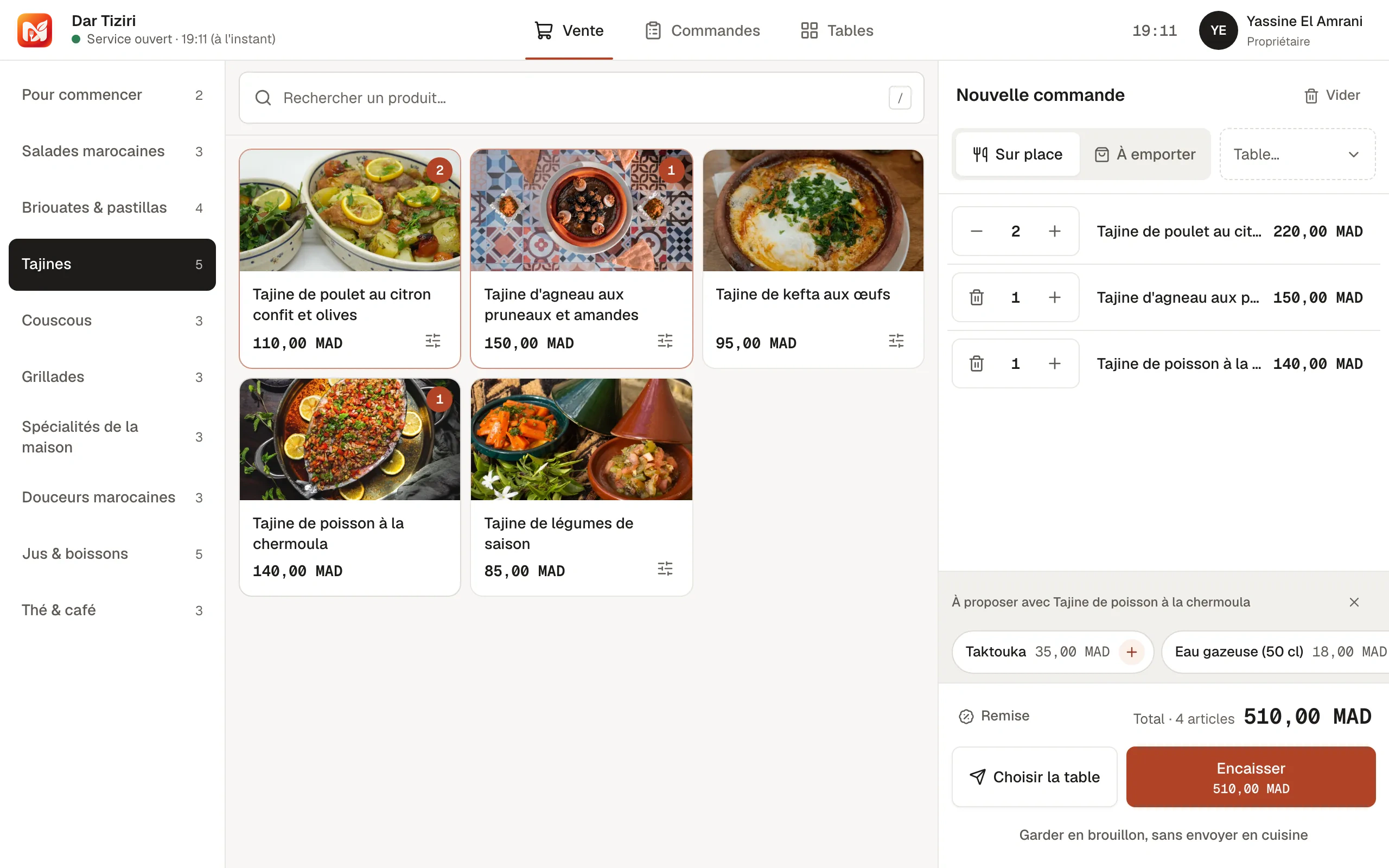
The Menly till: the catalog by category and the current ticket.
  • Catalog and ticket

    Search, categories, set menus and options, discounts and table selection.

  • Payment

    Cash with change calculation, card, mobile or another method.

  • Till session

    Opening float when you open, full summary when you close.

  • Printing

    Receipts and kitchen or bar tickets, from the desktop app.

  • Tablet or computer

    In the browser, as an installed app, or on Windows and macOS.

  • In sync

    Orders from the QR code and from servers reach the till live.

Floor & tables

Your floor at a glance.

Spaces, tables, seats, current orders and bill requests: the floor is visible live in the till and on servers' phones.

  • Spaces and tables with their number of seats
  • Free or occupied tables, with their order
  • Opening a table with the number of covers
  • Customer calls: server, water, cutlery, bill
  • Changing tables without losing the order
Main dining roomPatioTerrace
  • 12 coversOccupied
  • 22 coversFree
  • 34 coversOccupied
  • 44 coversBill requested
  • 54 coversFree
  • 66 coversOccupied
  • 78 coversFree
  • 86 coversOccupied

Team & permissions

One team, clear positions, clear access.

Each member gets a position — manager, floor manager, server, cashier, chef… — and their permissions follow from it. You adjust, restrict, deactivate.

  • Email invitation, link valid for 7 days
  • Access limited to certain restaurants and certain spaces
  • Fine-grained permissions: take payments, give discounts, cancel, edit prices…
  • Discount cap per position or per member

Ready-made positions

  • Manager
  • Floor manager
  • Waiter
  • Cashier
  • Head chef
  • Barista / Bartender

Access limited to: Dar Tiziri · Terrace

Permissions

  • View orders
  • Take payments
  • Apply a discount
  • Edit prices
  • View performance
  • Invite a member

Performance

Understand what is happening in your restaurant.

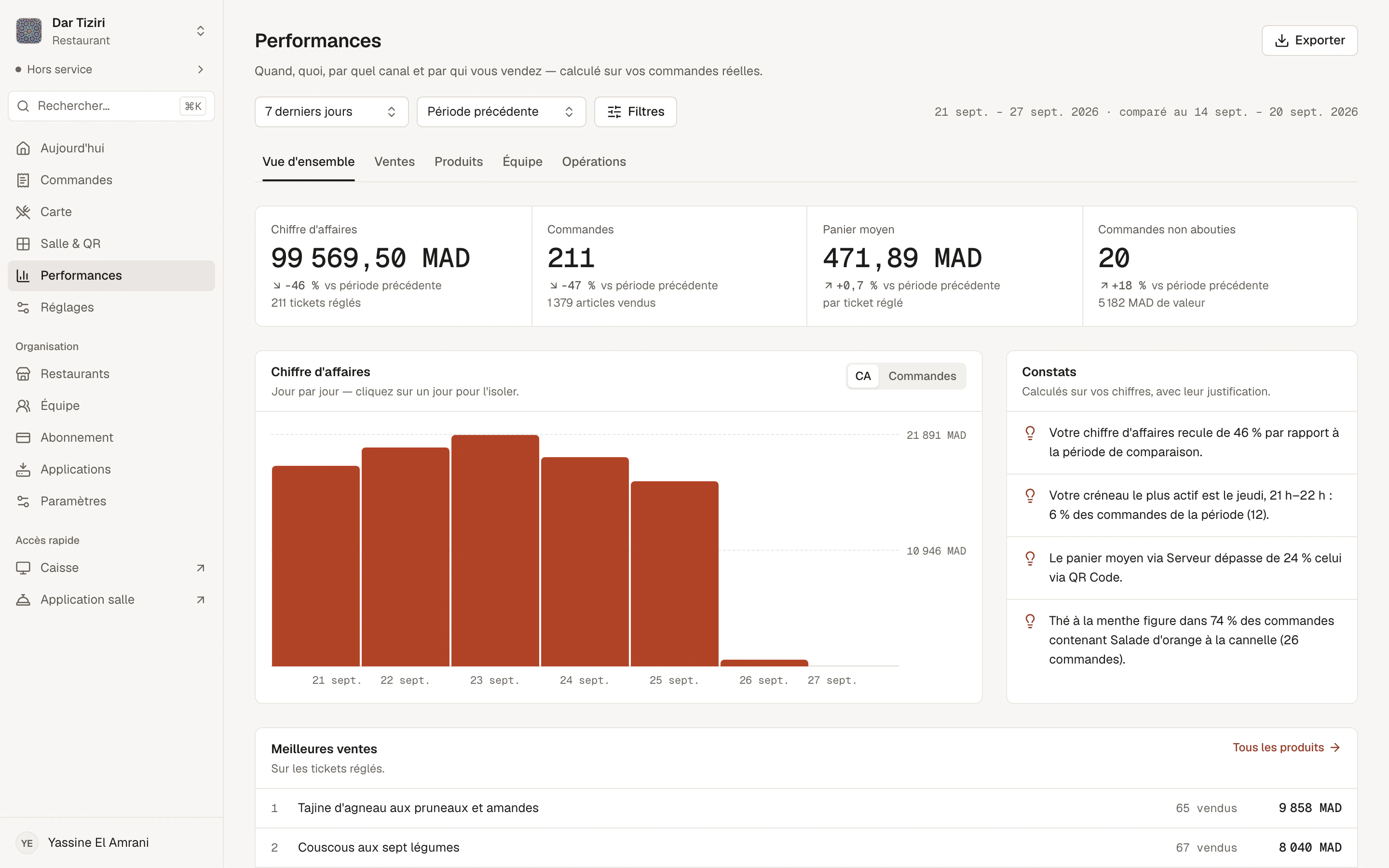
Menly calculates your metrics from your real orders, with the comparison period of your choice and filters by channel, service, member or menu.

  1. 01OverviewRevenue, orders, average ticket, items sold and automatic findings.
  2. 02SalesPeak days and hours, channels, dine-in or takeaway, payment methods.
  3. 03ProductsBest sellers, categories, options chosen, dishes ordered together, unsold items.
  4. 04TeamOrders, revenue and average ticket per member and per position.
  5. 05OperationsService durations, preparation and serving times, tables and spaces.
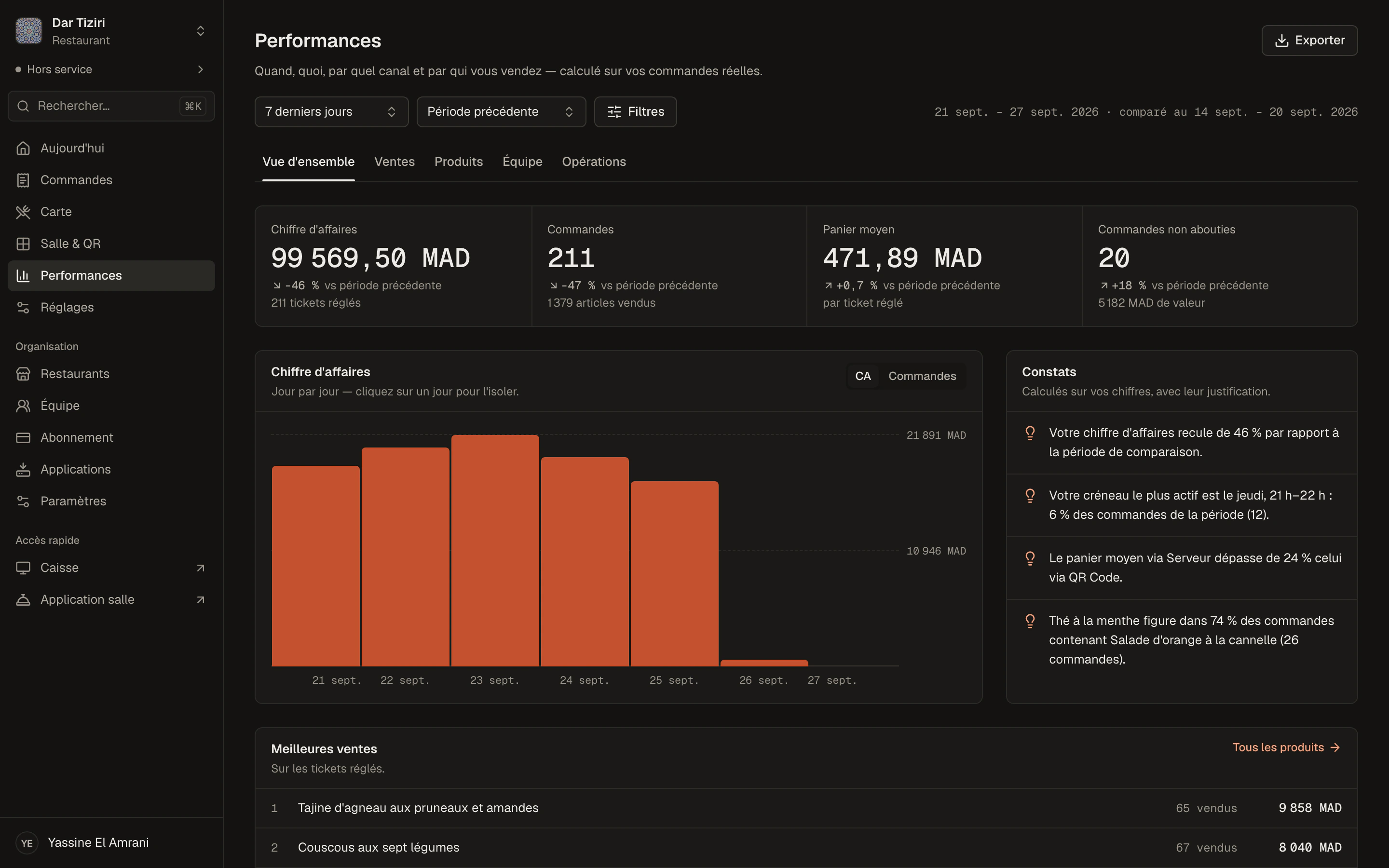
The performance overview: revenue, orders, average ticket, a day-by-day chart and calculated findings.

Several restaurants

One account, all your locations.

Group, franchise or second location: each restaurant keeps its menu, floor, languages and figures, and you switch from one to another in one click.

  • All your restaurants in a single organization
  • Each member only accesses the restaurants that concern them
  • Menus, tables and performance specific to each restaurant
  • Each restaurant has its own subscription
All restaurantsYour organization
  • Downtown restaurant3 menus · 18 tables · 9 members
  • Beach restaurant2 menus · 12 tables · 6 members
  • New restaurantGuided setup

Multilingual

Your menu in French, English and Arabic.

Add your customers' languages, translate your dishes, and let everyone pick their language on the menu. Arabic is displayed right to left.

  • The menu opens in the restaurant's default language
  • The customer switches language in one tap; their choice is remembered
  • Menly itself is available in French, English and Arabic

طواجن

طاجين اللحم بالبرقوق

لحم غنم طري مع البرقوق واللوز المحمص والسمسم.

145 DH

Same dish, same price, three languages — Arabic is displayed right to left.

No dedicated hardware

Start with the hardware you already have.

Menly runs in the browser. An internet connection is enough — no proprietary terminal, nothing to install for customers.

  • Phone

    Your customers browse and order. Your servers use Menly Floor.

  • Tablet

    The till at the counter, installable from the browser.

  • Computer

    The management dashboard, and Menly Register for Windows or macOS.

Optional, with the desktop app

  • Receipt printer
  • Cash drawer
  • Customer display

How it works

From sign-up to the first order.

A guided setup walks you through every step.

  1. 01

    Create your account

    An email address, a verification code, a password.

  2. 02

    Add your restaurant

    Type of business, identity, opening hours and languages.

  3. 03

    Create your menu

    Categories are suggested based on your type of business.

  4. 04

    Add your dishes

    Photos, prices, options, set menus and suggestions.

  5. 05

    Generate your QR codes

    Your tables, their QR codes, a print-ready sheet.

  6. 06

    Welcome your customers

    Publish your menu, start the service and receive your orders.

Pricing

Simple plans, in dirhams.

Per restaurant, monthly or yearly, with no hardware to buy. Business on quote for groups.

Each restaurant has its own subscription. Manage all your locations from one account.

Starter

To take a small place's menu digital.

29DH

/ month / restaurant

  • Included, QR code, unlimited scans
  • Included, 1 menu
  • Included, Up to 50 dishes per menu
  • Included, 1 member
  • Included, Basic analytics
  • Included, Basic customization
  • Included, Visible Menly branding
  • Not included, Unlimited orders

Standard

Most popular

Your guests order from the table.

99DH

/ month / restaurant

  • Included, Unlimited orders and QR scans
  • Included, Up to 3 menus
  • Included, Up to 150 dishes per menu
  • Included, Categories, options and extras
  • Included, Up to 5 members
  • Included, Analytics
  • Included, Several themes, advanced customization
  • Included, Discreet Menly branding

Pro

To run your restaurant end to end.

199DH

/ month / restaurant

  • Included, Unlimited orders and QR scans
  • Included, Up to 10 menus
  • Included, Up to 500 dishes per menu
  • Included, POS and Staff Web
  • Included, Up to 20 members, roles and permissions
  • Included, Advanced analytics, extended history
  • Included, Premium themes, no Menly branding
  • Included, Priority support

Business

For groups, chains and franchises that need centralized management.

On quote

  • Everything in Pro
  • Centralized multi-restaurant management
  • Consolidated analytics
  • Group-wide team management
  • Consolidated billing
  • Personal onboarding and follow-up
  • Specific needs and integrations

Pay monthly or yearlyEvery plan is activated by our team after a chat on WhatsApp.

Compare all plans

Frequently asked questions

Answers to the questions restaurant owners ask most often.

See all questions
What is Menly?

Menly is online software for restaurants, cafés and snack bars, built for Morocco: a digital menu shared by QR code, ordering from the table, a till, an app for servers, team management and performance dashboards — in a single tool.

Do I need to install an app?

Not for your customers: the menu opens in their browser. For your team, Menly Register and Menly Floor can be installed from the browser if you wish, and the till is also available as an app for Windows and macOS.

How does the QR code work?

Each table has its QR code. The customer scans it with their phone camera: your restaurant's menu opens, and Menly knows which table it is.

Can I change my menu after printing the QR code?

Yes. The QR code leads to your restaurant, not to an image of your menu: your changes appear the next time the menu loads, with no reprinting.

Can I manage several restaurants?

Yes, on every plan. An organization brings together all your restaurants; each keeps its menu, floor, languages, figures — and its own subscription.

Does Menly work on a phone?

Yes. The customer menu is designed for phones, so is the Menly Floor app, and the management dashboard can be used on a phone, tablet or computer.

Can I add my team?

Yes. Invite each member by email and give them a position — manager, server, cashier, chef… — and their permissions follow from it. The number of members depends on your plan.

Is the menu available in Arabic?

Yes. Add Arabic to your languages and translate your dishes: the menu is then displayed right to left. Menly itself can be used in French, English and Arabic.

Do I need a specific till?

No. A tablet or a computer is enough for Menly Register. A thermal printer, a cash drawer or a customer display can be added with the desktop app.

How do orders work?

The customer, a server or the till creates the order. The team accepts it, sends it to the kitchen, marks it ready then served, and the till takes payment. Every step is timestamped.

Can I try Menly?

Yes: create your account and prepare your restaurant and your menu with no commitment. To publish your menu, you need an active plan. You can also try our demo menus on the Demo page.

How do I contact Menly?

On WhatsApp, from the Contact page: we answer your questions, show you the product and activate your plan.

Your menu deserves better than a PDF.

Create your account and prepare your first menu today.